On most Android devices, when you have multiple keyboards enabled and available, there is a simple and easy way to switch between keyboards.
When you are using a text entry box in any app, it will show your keyboard. When your keyboard is open like this, there should be an icon below your keyboard like  or
or  which allows you to switch between keyboards.
You can click the icon once to cycle to the next available keyboard or long press the icon to bring up a list of available keyboards.
Below is an example of switching to the Keystroke Lock keyboard on a Google Pixel phone:
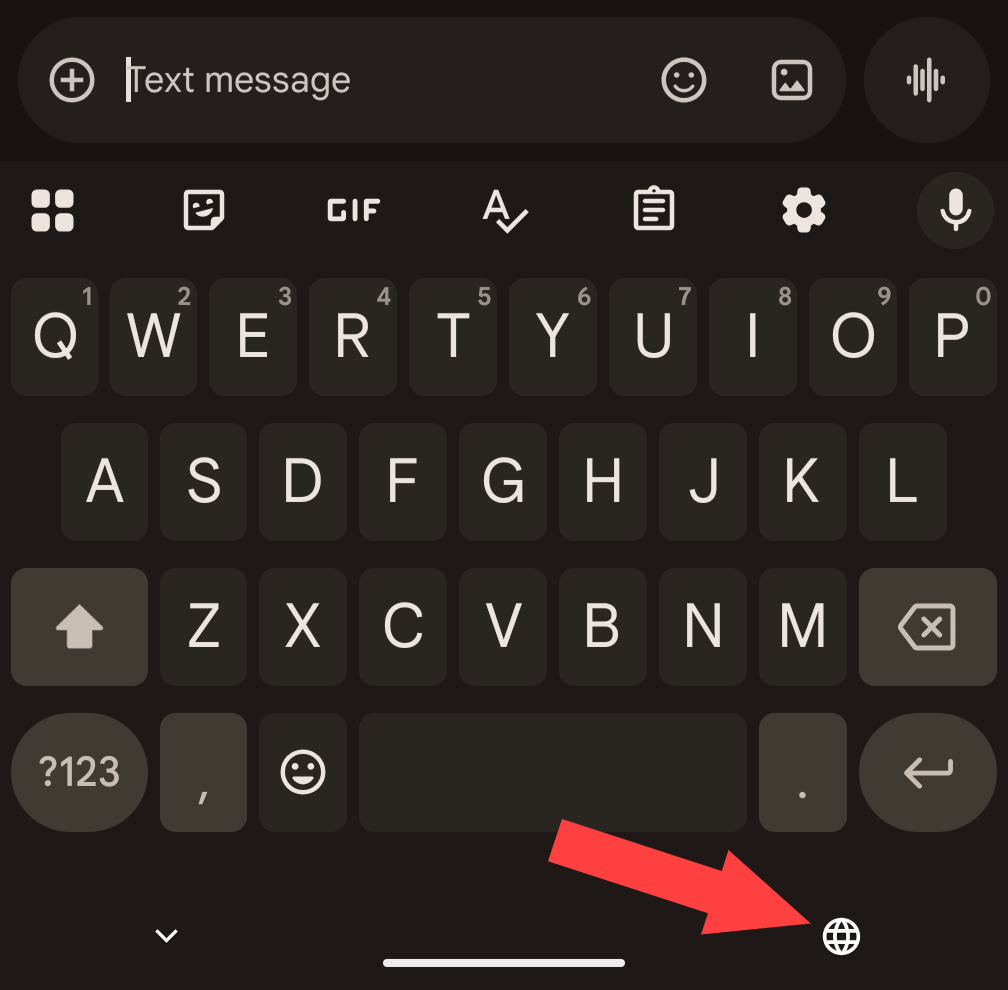
Long press on the globe icon
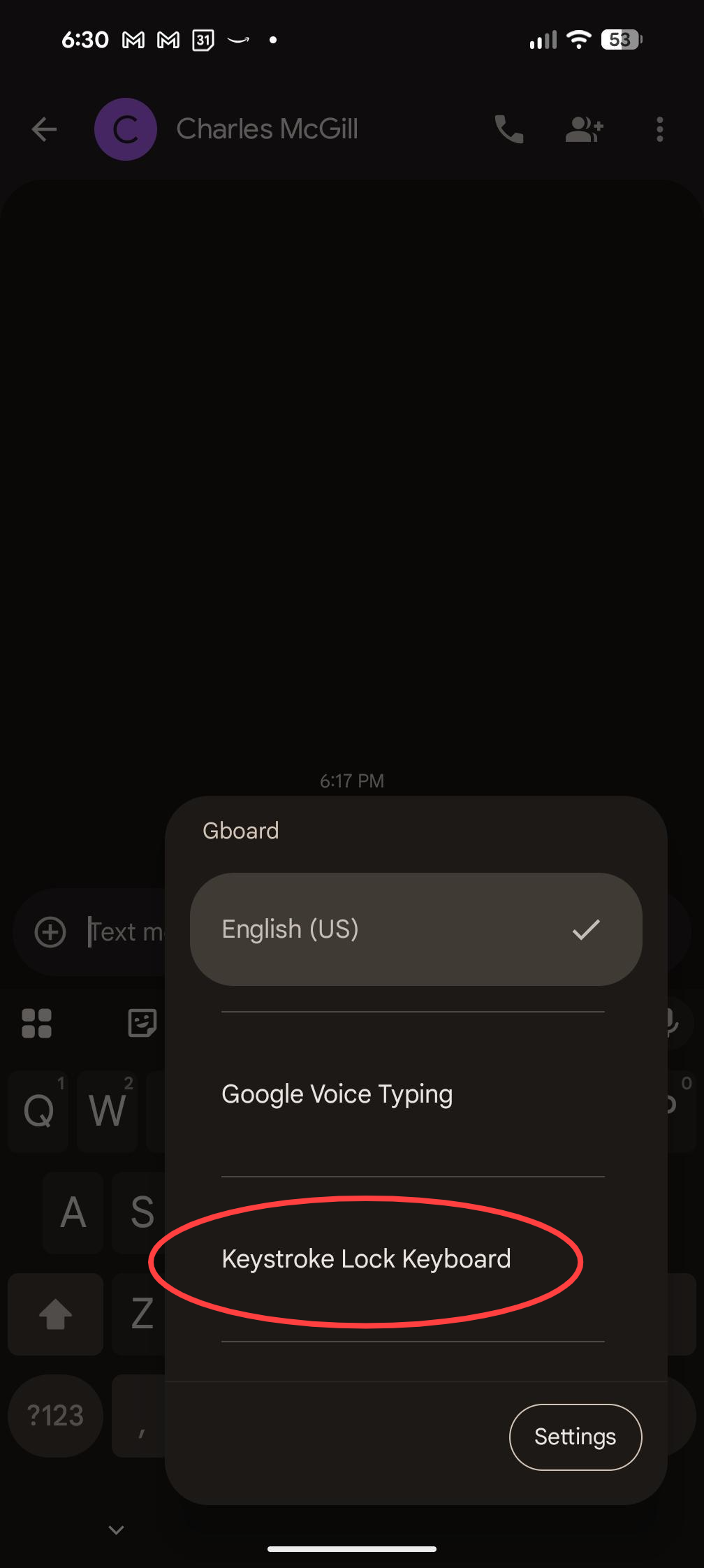
Click on Keystroke Lock Keyboard
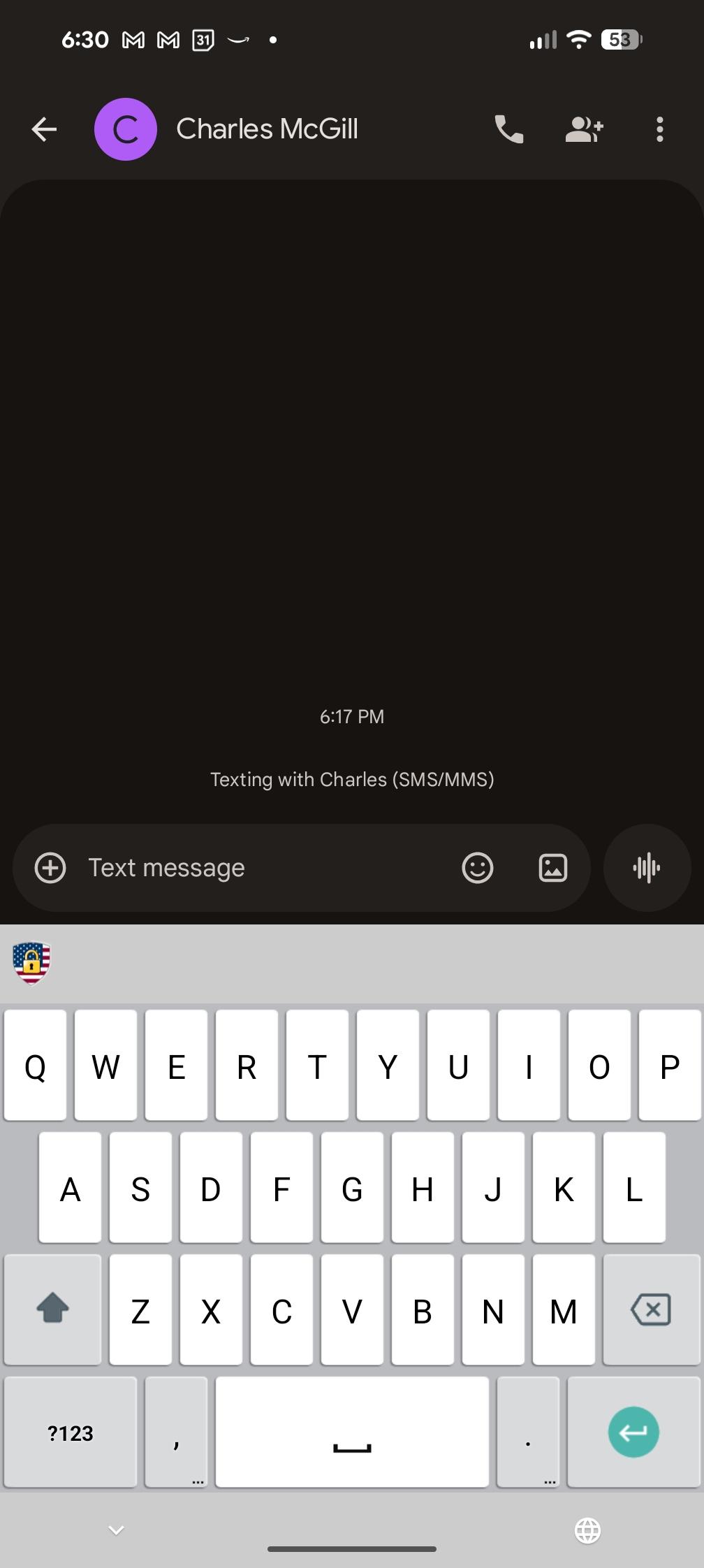
Keystroke Lock keyboard now in use